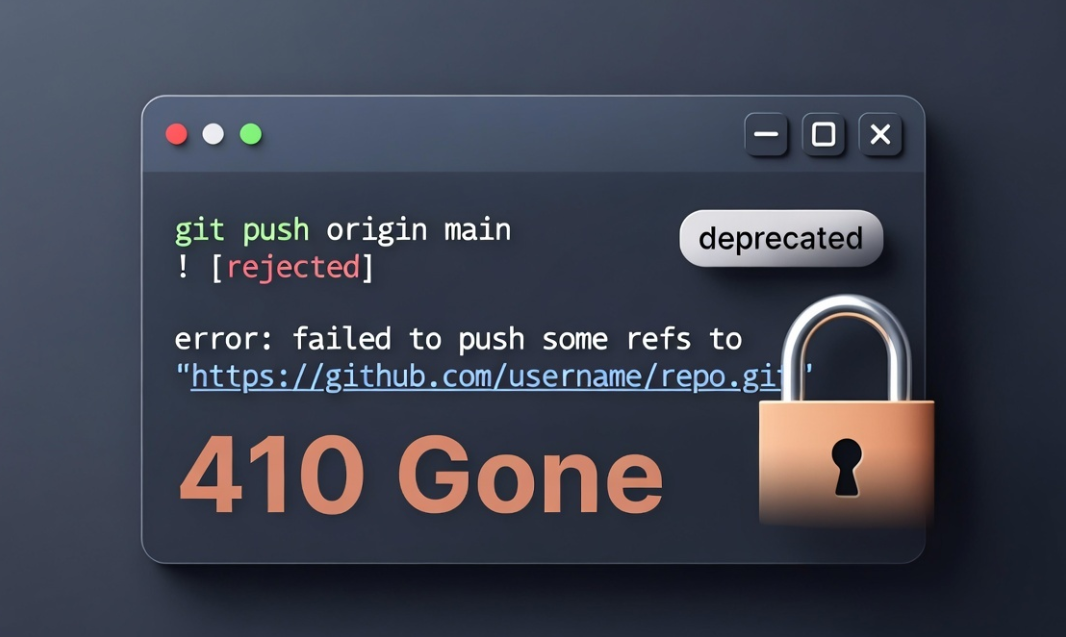
My git push died with a 410, and it was not git’s fault
The other day I finished a merge on a client repo, went to push a branch, and the
push just failed. No conflict, no auth prompt, nothing I had changed. The error
talked about something being “deprecated.” I almost went hunting through my git
config for a flag I had set wrong. That would have been the wrong place to look.
Here is the short version, so you do not waste the hour I nearly wasted.
What I ran
git push -u origin feature/my-branch
That command is fine. The -u is not deprecated. All it does is set the upstream
so the next push can be a bare git push. The first push of a new branch is
supposed to use it.
What I got back
remote: CHANGE-3222 - Functionality has been deprecated
remote: App passwords are deprecated and must be replaced with API tokens.
remote: https://developer.atlassian.com/cloud/bitbucket/changelog#CHANGE-3222
fatal: unable to access '.../my-repo.git/': The requested URL returned error: 410
The word “deprecated” sat right next to my git push command, so it read like a
git problem. It is not. This is the remote, Bitbucket Cloud, rejecting my
credentials. The push never even started.
What is actually going on
Bitbucket Cloud is removing App Passwords. App Passwords were the old way to
authenticate git over HTTPS: you generated one in your account settings and used
it in place of your real password. Atlassian is retiring them in favour of API
tokens, which have expiry dates and proper scopes. The change is tracked as
CHANGE-3222.
The part that bit me is the rollout method. Atlassian is not flipping a single
switch on the final day. They are running “brownouts,” short windows where app
password auth is turned off early, on purpose, so anyone still using it finds out
before the hard cutoff. The brownouts run from June 9, 2026 to July 27, 2026, and
app passwords are fully removed on July 28, 2026.
So if your push works on Monday and fails on Tuesday with nothing changed on your
end, you are not going mad. You walked into a brownout window. That is exactly the
signal it is meant to send.
One detail worth knowing, because it explains the confusing error code. During a
brownout, git over HTTPS with an app password fails with HTTP 410 Gone, while API
calls with an app password fail with HTTP 401 Unauthorized. I got the 410, which
is the git-over-HTTPS case. A 410 normally means “this URL is gone,” which is why
it looks for a second like the repo moved. The repo did not move. The auth method
did.
Root cause, plainly
- My push command was correct.
git push -u origin feature/my-branchis the right
command for a first push. - The failure was server side. Bitbucket rejected my app password because app
passwords are being deprecated under CHANGE-3222. - The 410 is the tell. Git over HTTPS during a brownout returns 410, not the auth
error you would expect. The error text says “deprecated,” not “wrong password,”
and that is the real clue.
The fix
Stop authenticating with an app password. Switch to an API token. The steps:
- Create an Atlassian API token from your Atlassian account security settings,
scoped for Bitbucket. - Use that token in place of the app password. For git over HTTPS that means
updating whatever stores your credential: your OS keychain, your credential
helper, or the token baked into a remote URL if you went that route. - Push again. The command does not change.
git push -u origin feature/my-branch
works once the credential behind it is a valid token.
If you prefer to never think about token expiry for git, SSH keys are the other
option and they sidestep this whole class of problem. For automation and API
calls, API tokens are the path Atlassian wants you on.
Why I am writing this down
Two reasons.
First, the error blames the wrong thing. It puts “deprecated” next to your git
command, so your instinct is to fix git. The actual fix is in your Atlassian
account, not your .git folder. Reading the error one layer up, “the remote
rejected me” instead of “my command is wrong,” is the whole game.
Second, the brownout pattern is going to catch a lot of people between now and
late July 2026. Build pipelines, deploy scripts, anything that quietly pushes with
a stored app password. It will work, then fail, then work again, with no code
change to point at. If you see a 410 on a Bitbucket push in that window, do not
debug git. Go rotate your credential.
Take the warning shots seriously. A brownout is the system doing you a favour
before the real deadline.
The bigger pattern
This failure has nothing to do with git and everything to do with a dependency
that aged out underneath working code. Nobody wrote a bug. A credential method got
retired on someone else’s schedule, and a pipeline that had run fine for years
started failing.
That is most of what breaks in an older codebase. Not bad code, just code with
assumptions that stopped being true. An API that changed, a PHP version that went
end of life, a library nobody has bumped since the person who chose it left. It
runs until the day it does not, and the error never points at the real cause.
This is the kind of problem that shows up in applications old enough to have
accumulated a few layers of history. I wrote about what a decade of that work
teaches you in ten years on one codebase.
Sources: