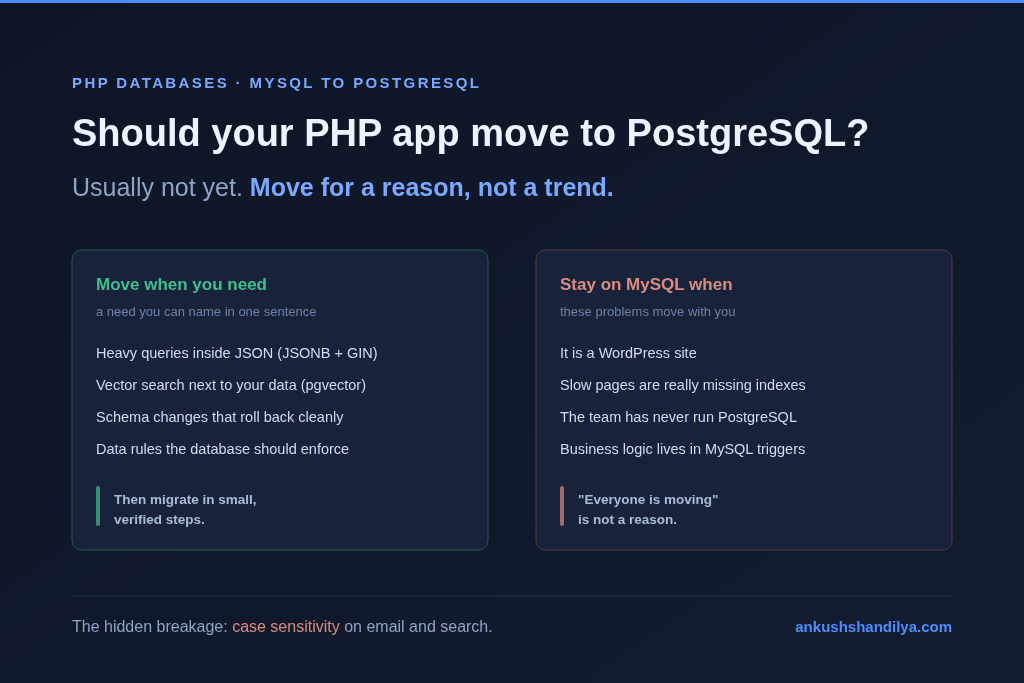
Most PHP apps running well on MySQL should not move to PostgreSQL just because PostgreSQL is popular. Move when you have a specific need MySQL handles badly, like heavy JSON querying, vector search next to your data, or schema changes you need to roll back safely. If you cannot name that need in one sentence, the migration costs more than it returns.
I have run MySQL under PHP products for more than 15 years, including ten years on a single codebase. I have not moved a production app to PostgreSQL. When the question kept coming up, I sat down and learned the move properly: the reasons, the traps, and the exact steps. This guide is what I learned, written the way I wish someone had written it for me.
PostgreSQL is an excellent database. That is not the question. The question is whether switching pays for itself in your app, with your team, this year. If it does, the second half of this guide walks through the migration step by step, with the commands.
Why everyone is asking this now
MySQL was the default for PHP for twenty years. Shared hosting gave you MySQL, phpMyAdmin came with it, and every tutorial assumed it. That default is going away. PostgreSQL now tops developer surveys, managed cloud platforms push it first, and new frameworks and AI tools often reach for it out of the box.
So the question shows up in planning meetings: “Should we be on Postgres?” It sounds like a technical question. Most of the time it is really a fear of being left behind. That is a bad reason to move a live database.
When moving is worth it
There are real reasons to switch. These are the ones I would accept.
You query JSON heavily. MySQL has a JSON type, but indexing inside it means generated columns for each path you care about. PostgreSQL’s “JSONB” with a GIN index lets you query inside documents without planning every path upfront. If half your queries dig into JSON blobs, this alone can justify the move.
You want embeddings next to your data. If you are adding AI search or retrieval to a PHP product, the “pgvector” extension lets you store vectors in the same database as the rows they describe. One database, one backup, one set of permissions. That is much simpler than running a separate vector store and keeping the two in sync.
You need schema changes you can roll back. In PostgreSQL, a schema change inside a transaction can be rolled back cleanly. In MySQL, most schema statements commit on their own. If a migration fails halfway in MySQL, you can be left with half a schema. On a product that ships schema changes every week, safe rollbacks are worth a lot.
Your data rules are getting complex. PostgreSQL gives you partial indexes, exclusion constraints, range types and arrays. If you keep writing PHP code to enforce rules the database could enforce for you, PostgreSQL lets you move those rules closer to the data.
When it is not worth it
These are the cases where I would say no, or at least not yet.
It is a WordPress site. WordPress officially supports MySQL and MariaDB. Running it on anything else means unofficial plugins and a fight with every update. Stay on MySQL.
The real problem is slow queries. A slow app on MySQL is almost always missing indexes, running too many queries per page, or doing work in the database that belongs in a queue. Those problems move with you to PostgreSQL. Fix them first. Turn on the slow query log, read it for a week, and add the indexes it asks for. That is a few days of work, not a few months.
Your team only knows MySQL. PostgreSQL behaves differently in production. Vacuum, connection handling and query plans all need someone who understands them. If nobody on the team has run PostgreSQL in production, the first incident will be expensive.
Your logic lives in MySQL triggers and stored procedures. These do not move with a tool. Every one has to be rewritten by hand in PostgreSQL’s own language. I wrote about how business logic hiding in database triggers becomes invisible to the team, and a migration is exactly where that bill arrives.
What actually breaks in a PHP app
People expect the data copy to be the hard part. It is not. Tools like “pgloader” copy schema and data from MySQL to PostgreSQL well. The hard part is the behaviour your PHP code quietly depends on. These are the ones that catch teams.
Case sensitivity. MySQL’s default collation compares text without caring about case. So WHERE email = '[email protected]' finds [email protected]. PostgreSQL does not. Logins start failing, and worse, your unique index on email now allows two accounts that differ only by case. Fix it with a unique index on lower(email) or the “citext” type, and normalize emails in PHP before they reach the database.
LIKE searches. The same issue shows up in search boxes. LIKE is case-insensitive in MySQL by default and case-sensitive in PostgreSQL. Every search screen needs ILIKE or a lowercased comparison.
Auto-increment IDs. MySQL uses AUTO_INCREMENT. PostgreSQL uses sequences. If you copy rows with their original IDs, the sequence does not know about them. The next insert tries ID 1 and fails with a duplicate key error. After the copy, every sequence has to be reset to the highest existing ID.
Old data MySQL accepted and PostgreSQL rejects. Older MySQL setups let in dates like 0000-00-00, text that does not fit the column’s character set, and numbers in unsigned columns. PostgreSQL refuses all of it. You find out during the copy, row by row. Clean the data in MySQL first, while the app still runs on it.
Raw SQL in the codebase. An ORM hides most dialect differences. Raw queries do not. Backtick quoted names, INSERT ... ON DUPLICATE KEY UPDATE, GROUP_CONCAT, IFNULL and MySQL date functions all need rewriting. In a legacy PHP app, raw SQL is everywhere. Search for it before you estimate anything.
Connections. This one surprises PHP teams the most. PHP-FPM can run a lot of workers, and each one can hold a database connection. PostgreSQL starts a full process for every connection, so a few hundred workers can exhaust it. MySQL tolerates this pattern much better. In production you will need a connection pooler like PgBouncer in front of PostgreSQL.
The migration, step by step
If the reasons hold up, this is the order I learned to follow. Every step runs on a copy first, never on production.
Step 1: Write down the reason
One sentence, with the feature or problem that needs PostgreSQL. Put it at the top of the project ticket. If the reason changes during the project, stop and re-check whether the move still makes sense.
Step 2: Inventory the risk
Before estimating anything, find out how much MySQL-specific code you have. Start with raw SQL and MySQL-only functions:
grep -rnE "DB::raw|whereRaw|selectRaw|DB::select|GROUP_CONCAT|IFNULL|ON DUPLICATE KEY|\`" app/ database/ --include=*.php
Then list the triggers and stored procedures, because each one has to be rewritten by hand:
SELECT trigger_name, event_object_table FROM information_schema.triggers WHERE trigger_schema = 'appdb';
SELECT routine_name, routine_type FROM information_schema.routines WHERE routine_schema = 'appdb';
Finally, note every lookup on text that users type, like email, username and slug. Those are your case sensitivity risks. This whole list is your real estimate.
Step 3: Clean the data in MySQL
Fix bad data while MySQL is still live and nobody is in a hurry. Zero dates are the most common problem:
SELECT COUNT(*) FROM orders WHERE created_at = '0000-00-00 00:00:00';
UPDATE orders SET created_at = NULL WHERE created_at = '0000-00-00 00:00:00';
Check every date column this way, and look for orphaned rows that point to parents that no longer exist. PostgreSQL will reject them the moment you add foreign keys.
Step 4: Copy the schema and data with pgloader
“pgloader” reads a MySQL database and builds the matching PostgreSQL schema and data in one command:
pgloader mysql://user:pass@localhost/appdb postgresql://user:pass@localhost/appdb
It converts types, turns zero dates into NULL and resets the sequences behind your ID columns. Read its summary at the end. It reports every row it could not load, and each one is a data problem to fix in Step 3.
If you copy data any other way, like CSV exports or a custom script, you must reset every sequence yourself, or the next insert fails with a duplicate key error:
SELECT setval(pg_get_serial_sequence('users', 'id'), COALESCE(MAX(id), 1)) FROM users;
Step 5: Fix case sensitivity
This is the trap that fails quietly, so fix it before any testing. Make email lookups case-insensitive at the database level:
CREATE EXTENSION IF NOT EXISTS citext;
ALTER TABLE users ALTER COLUMN email TYPE citext;
Or keep the column as text and add a unique index on the lowercased value:
CREATE UNIQUE INDEX users_email_lower_unique ON users (lower(email));
Then lowercase emails in PHP before they reach the database, and change search screens from LIKE to ILIKE.
Step 6: Point the tests at PostgreSQL
In a Laravel app, run the existing test suite against the new database by switching the connection in phpunit.xml:
<env name="DB_CONNECTION" value="pgsql"/>
If there is no test suite, write tests for login, search, checkout and reporting first. Those are the screens that break. Fix the raw queries from Step 2 until everything passes.
Step 7: Verify the copy
Compare row counts for every table on both sides. Run this in MySQL and in PostgreSQL, then compare:
SELECT COUNT(*) FROM users;
For important tables, compare totals too, like the sum of order amounts. Matching counts with different totals means something converted wrongly.
Step 8: Add a connection pooler
PHP-FPM can open a connection per worker, and PostgreSQL starts a full process for each one. Put PgBouncer between the app and the database before real traffic arrives, and load test with it in place.
Step 9: Cut over with a way back
Pick a quiet window. Freeze writes, run a final copy, switch the app’s connection, and test the key screens by hand. Keep MySQL untouched and read-only for a few days. If something is wrong, you can return to it.
The same rules I use for modernizing a legacy PHP application without a full rewrite apply here. Move in small steps, verify each one, and never bet the product on a single weekend.
A cheaper first step
You do not have to move the whole database to use PostgreSQL. If the need is narrow, say vector search for a new AI feature, run PostgreSQL only for that feature. The main app stays on MySQL. The new service gets the right tool. You learn PostgreSQL in production on something small before you trust it with everything.
When someone asks me what it costs to modernize a legacy PHP application, the database is usually not the first thing I would change. It is the part that is hardest to undo.
FAQ
Is PostgreSQL faster than MySQL for PHP apps? Not by default. For the simple reads and writes most PHP apps do, both are fast. The speed problems I see come from missing indexes and too many queries per page, and those follow you to either database.
Can Laravel switch from MySQL to PostgreSQL by changing the connection? The config change is one line. The app usually is not. Eloquent handles most dialect differences, but raw queries, case-sensitive searches and MySQL-specific functions still break. Run your full test suite against PostgreSQL before you trust it.
Should WordPress run on PostgreSQL? No. WordPress officially supports MySQL and MariaDB. Running it on PostgreSQL depends on unofficial plugins and breaks with updates.
What is the biggest hidden risk in a MySQL to PostgreSQL migration? Case sensitivity. MySQL compares text without caring about case by default, and PostgreSQL does not. Logins, searches and unique checks on email can fail quietly after the move.
When is PostgreSQL clearly the better choice? When you query inside JSON heavily, want vector search next to your data with pgvector, or need schema changes that roll back safely inside a transaction.
Pick the database for a reason you can say out loud. “Everyone is moving” is not one.