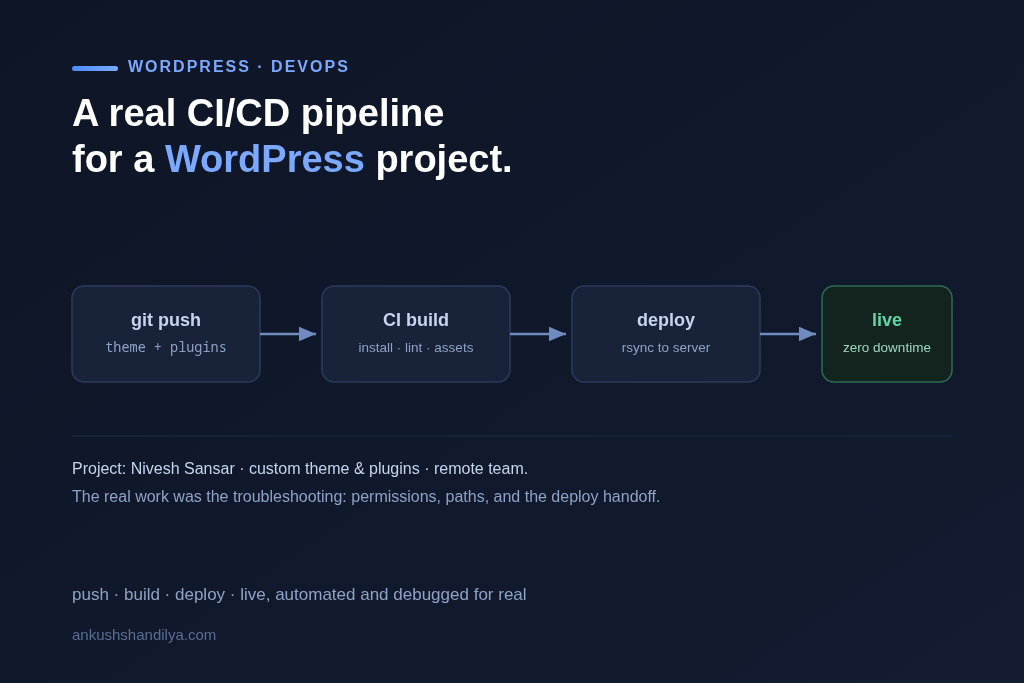
When working with remote development teams, seamless collaboration and automated deployment pipelines become not just a convenience, but a necessity. I recently set up a robust CI/CD pipeline for a custom WordPress project called Nivesh Sansar, and this blog documents the real-world challenges I faced and how I solved them.
It covers the parts that are usually left out of pipeline tutorials: what broke, why, and what the fix actually was.
Project Overview
Project: Nivesh Sansar
Stack: WordPress (Custom Theme & Plugins)
Objective: Automate deployment of theme and plugin changes via Bitbucket CI/CD to a shared remote server.
Remote Constraints: Shared hosting with SSH access through custom port & per-user directory isolation.
Challenge 1: SSH Access on a Custom Port Per User
Unlike traditional SSH setups, each user had a dedicated port. For example:
ssh [email protected] -p 15001
This created an issue when configuring the Bitbucket pipeline to use SSH keys, as default settings assume standard port 22 and root or default users.
Fix:
- Used the
-poption within15001rsyncandsshcommands. - Ensured the correct username (
john
Challenge 2: SSH Key Authentication Errors
Bitbucket Pipelines failed with errors like:
Permission denied (publickey,gssapi-keyex,…)
Load key "/root/.ssh/id_rsa": error in libcrypto
Root Cause:
- Bitbucket defaulted to
/root/.ssh/id_rsa, which didn’t exist. - The SSH key input field in Bitbucket Variables wasn’t multiline (no textarea), breaking the key format.
Fix:
- Created a key pair locally:
ssh-keygen -t rsa -b 4096 -f nivesh-sansar-key - Added private key manually under Bitbucket > Repository settings > SSH Keys.
- Ensured public key was added to
~/.ssh/authorized_keyson the server under the correct user.
Challenge 3: Rsync Fails Due to Missing Directories
Even when SSH worked, rsync gave:
rsync: mkdir … failed: No such file or directory (2)
Fix:
In the pipeline YAML, I first SSH into the server to create the necessary directories:
ssh -p 15001 [email protected] 'mkdir -p /home/john/niveshsansar.com_public_html/wp-content/themes/nsansar-theme'
Only after that do I run rsync:
- rsync -avz -e "ssh -p 15001" --delete ./wp-content/themes/nsansar-theme/ [email protected]:/home/john/niveshsansar.com_public_html/wp-content/themes/nsansar-theme/
Final Result: Smooth CI/CD Pipeline with Bitbucket
After resolving these blockers, the deployment process now works flawlessly:
- Developer pushes to Bitbucket
- Bitbucket pipeline triggers
- Pipeline builds, connects via SSH, and deploys theme/plugin updates
This makes it easy for distributed teams to collaborate and ship updates to the live site in minutes, without manual FTP or SSH steps.
Why This Matters
Setting up DevOps for WordPress on a shared server with SSH isolation and remote team coordination isn’t straightforward. But this is where I thrive:
- Navigating edge-case DevOps issues
- Building custom pipelines
- Working with international teams
- Delivering business-ready outcomes
I’m Ankush Shandilya, a full-cycle developer with over a decade of experience across the U.S. and Canadian markets. I build, debug, and deploy systems that just work—even when the infrastructure is messy or unconventional.
What I would do differently
The pipeline works, but the debugging took far longer than the build. Most of the time went into failures that produced no useful output, which is the usual shape of deployment work. If I set this up again I would put the logging and the failure output in place first, before wiring any of the deployment steps together.